Annotation app redesign
Annotation app redesign
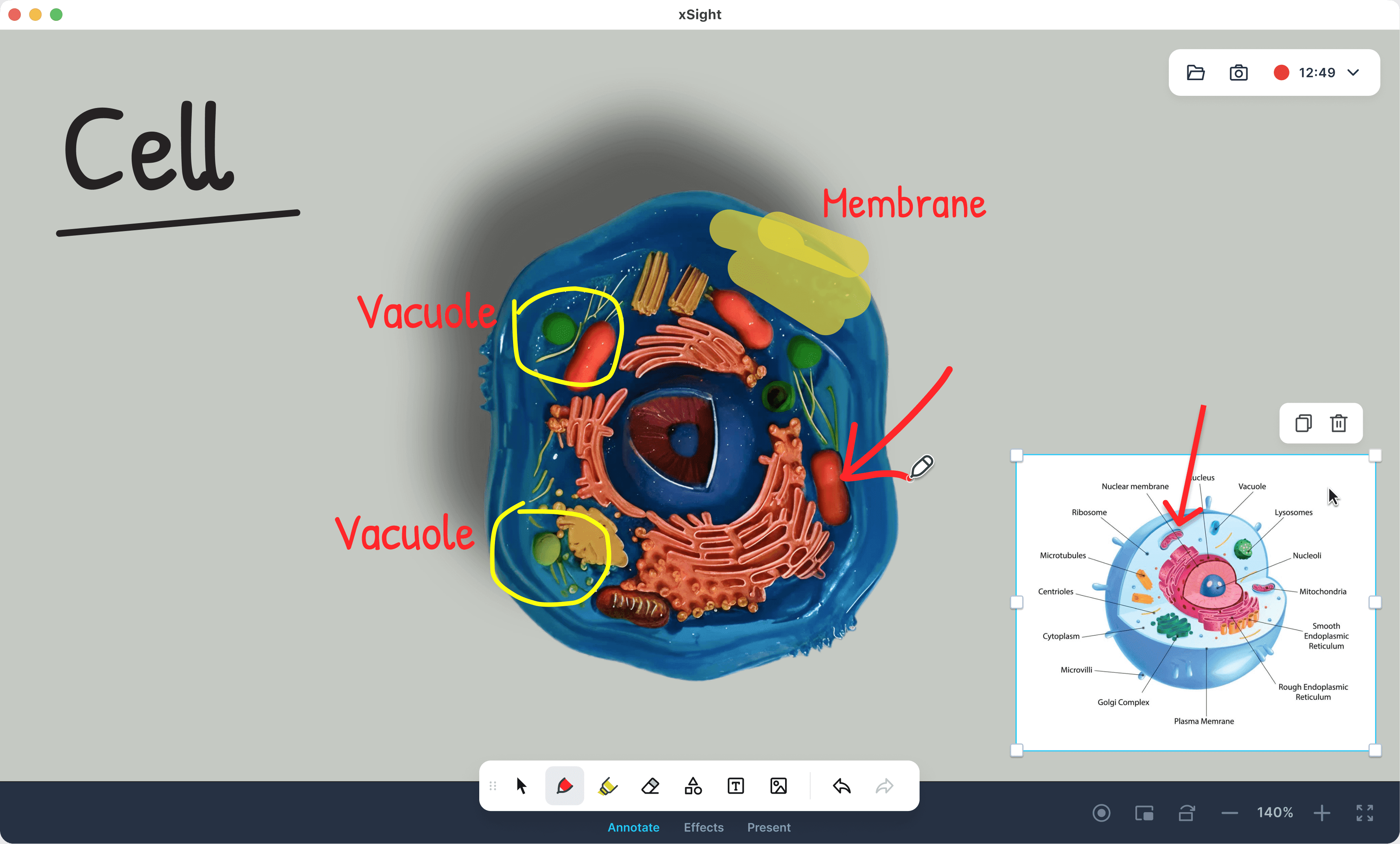
xSight is a desktop, cross-platform application for presenting and annotating educational materials in U.S. schools.
I redesigned the interface around core use cases, removing visual clutter and improving tool predictability. This made it easier for teachers to work during class, reduced reliance on external training, and increased the product’s appeal in sales.
xSight is a desktop, cross-platform application for presenting and annotating educational materials in U.S. schools.
I redesigned the interface around core use cases, removing visual clutter and improving tool predictability. This made it easier for teachers to work during class, reduced reliance on external training, and increased the product’s appeal in sales.
Team
PM
Designer
PM
Designer
Research
Session analysis
Market research
UX-test
Session analysis
Market research
UX-test
My role
Design
Icons
UX-copy
Animations
Tests
Handoff
Design
Icons
UX-copy
Animations
Tests
Handoff
Problem
Problem
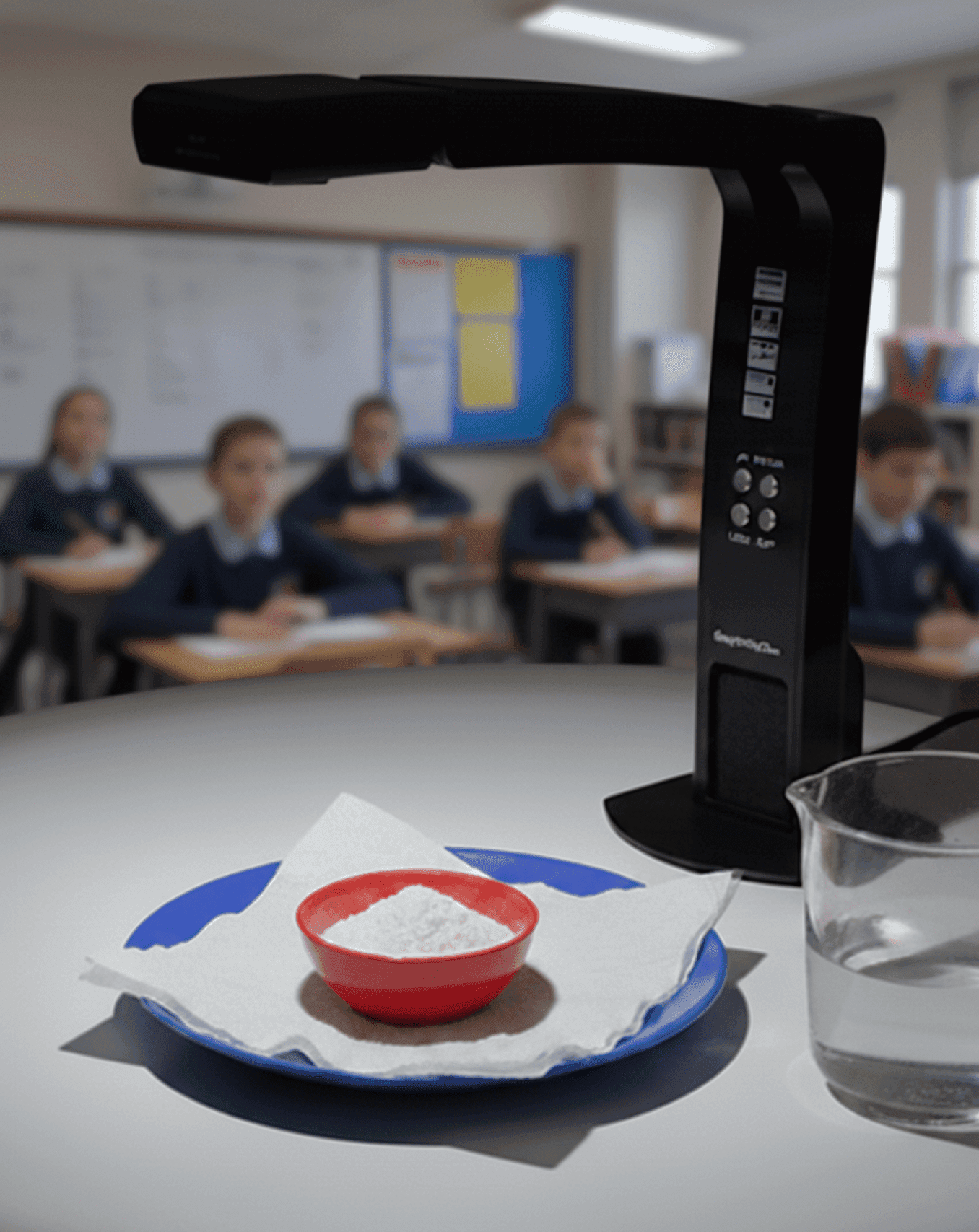
Recordex produces desktop cameras that stream an image to a large display. The camera connects to an application where users can control the image, add annotations, and capture screenshots or video recordings of the entire process.
The product looked outdated and complex compared to competitors. This reduced its appeal for schools when choosing a solution and increased reliance on external training.
Компания Recordex производит настольные камеры, которые транслируют картинку на большой экран. Камера подключается к приложению, в котором можно управлять изображением, делать аннотации, скриншоты и видеозапись всего процесса.
Продукт выглядел устаревшим и сложным на фоне конкурентов. Это снижало его привлекательность при выборе решения школами и повышало зависимость от внешнего обучения.
Recordex produces desktop cameras that stream an image to a large display. The camera connects to an application where users can control the image, add annotations, and capture screenshots or video recordings of the entire process.
The product looked outdated and complex compared to competitors. This reduced its appeal for schools when choosing a solution and increased reliance on external training.
Research
Research
I split the research into two directions.
I split the research into two directions.
I split the research into two directions.
New user
New user
New user
To evaluate the first-time experience, I tested the interface with users who had no prior experience to understand how quickly they could grasp the purpose of the application and start using it. This was important because the product is often opened for the first time before purchasing the equipment, as well as right before a lesson. A lack of a clear starting point can reduce the product’s appeal for school decision-makers and increase the need for external guidance.
Для оценки первого запуска я протестировал интерфейс на пользователях без опыта, чтобы понять, насколько быстро они смогут разобраться в назначении приложения и начать работу. Это было важно, так как продукт часто открывают впервые еще до покупки оборудования, а также непосредственно перед уроком. Отсутствие понятного старта может снижать привлекательность продукта для руководства школы и повышать необходимость во внешнем объяснении.
Для оценки первого запуска я протестировал интерфейс на пользователях без опыта, чтобы понять, насколько быстро они смогут разобраться в назначении приложения и начать работу. Это было важно, так как продукт часто открывают впервые еще до покупки оборудования, а также непосредственно перед уроком. Отсутствие понятного старта может снижать привлекательность продукта для руководства школы и повышать необходимость во внешнем объяснении.
Current users
Current users
Current users
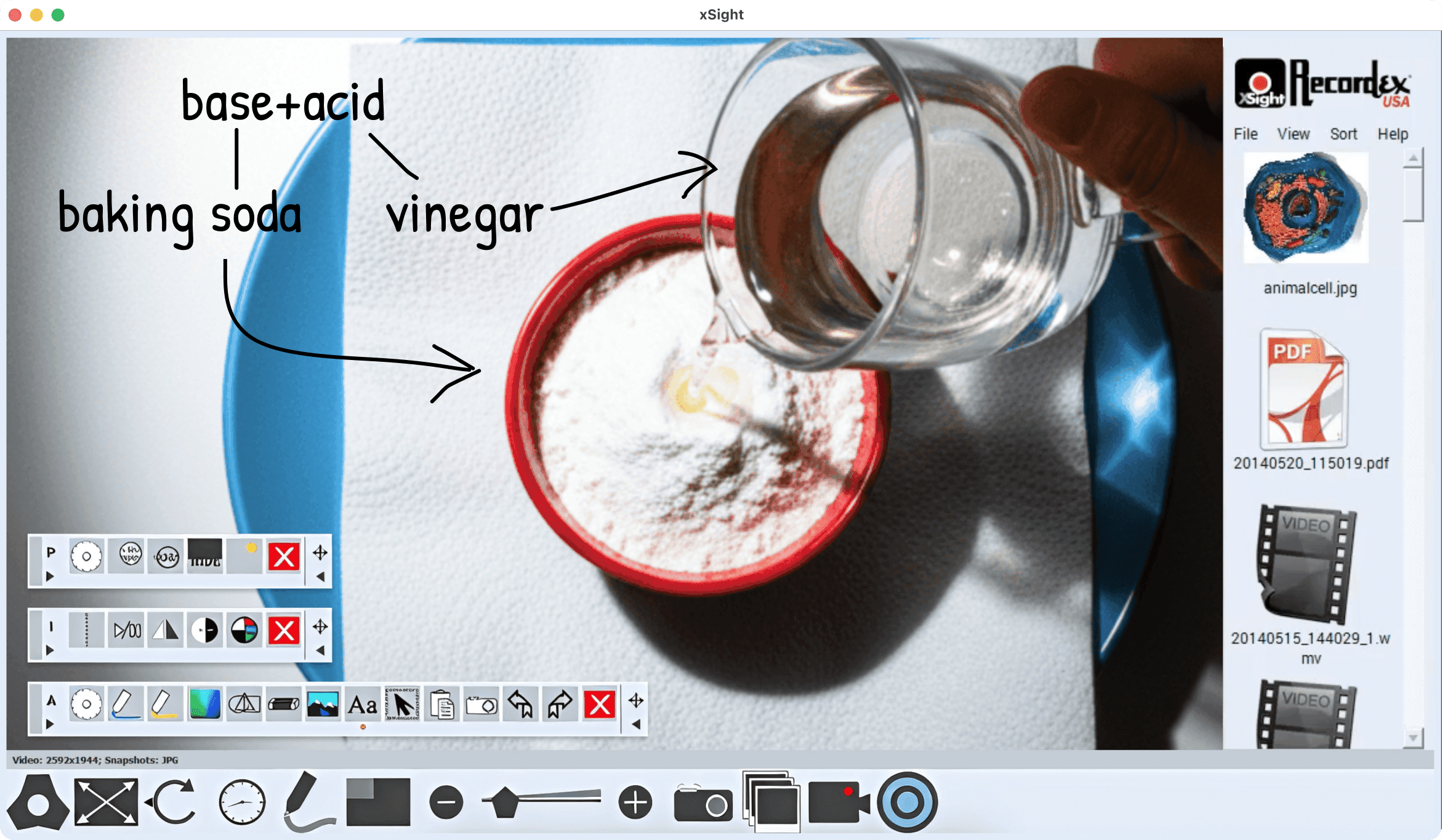
I didn’t have the opportunity to conduct interviews, so I analyzed session recordings provided by Recordex. I focused on understanding the most common workflows, what works well, and where users encounter issues.
I didn’t have the opportunity to conduct interviews, so I analyzed session recordings provided by Recordex. I focused on understanding the most common workflows, what works well, and where users encounter issues.
I didn’t have the opportunity to conduct interviews, so I analyzed session recordings provided by Recordex. I focused on understanding the most common workflows, what works well, and where users encounter issues.
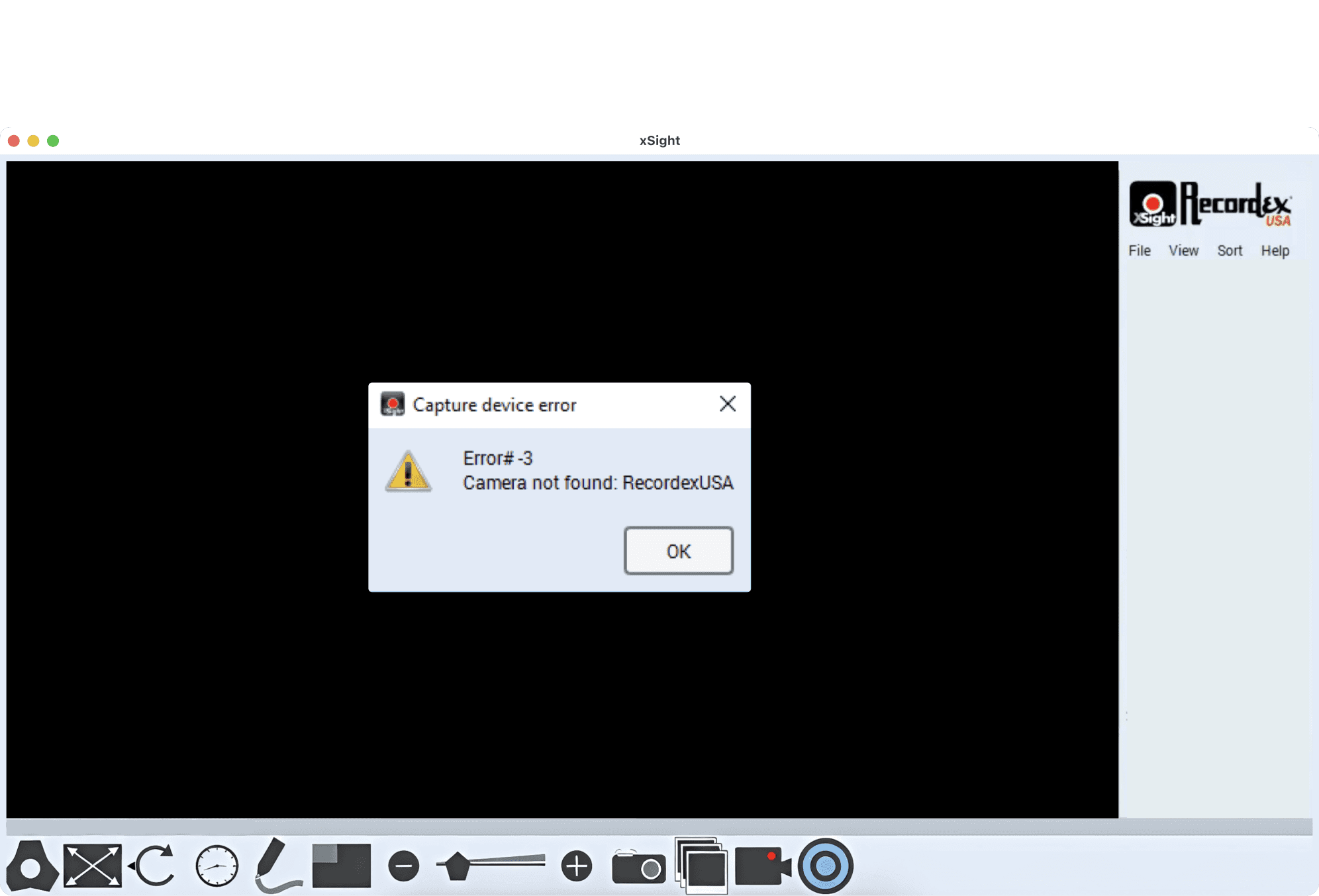
On first launch, the interface indicated that no camera was connected, but since the tool panels were hidden, users couldn’t try annotations and gained no value from the product.
On first launch, the interface indicated that no camera was connected, but since the tool panels were hidden, users couldn’t try annotations and gained no value from the product.
On first launch, the interface indicated that no camera was connected, but since the tool panels were hidden, users couldn’t try annotations and gained no value from the product.
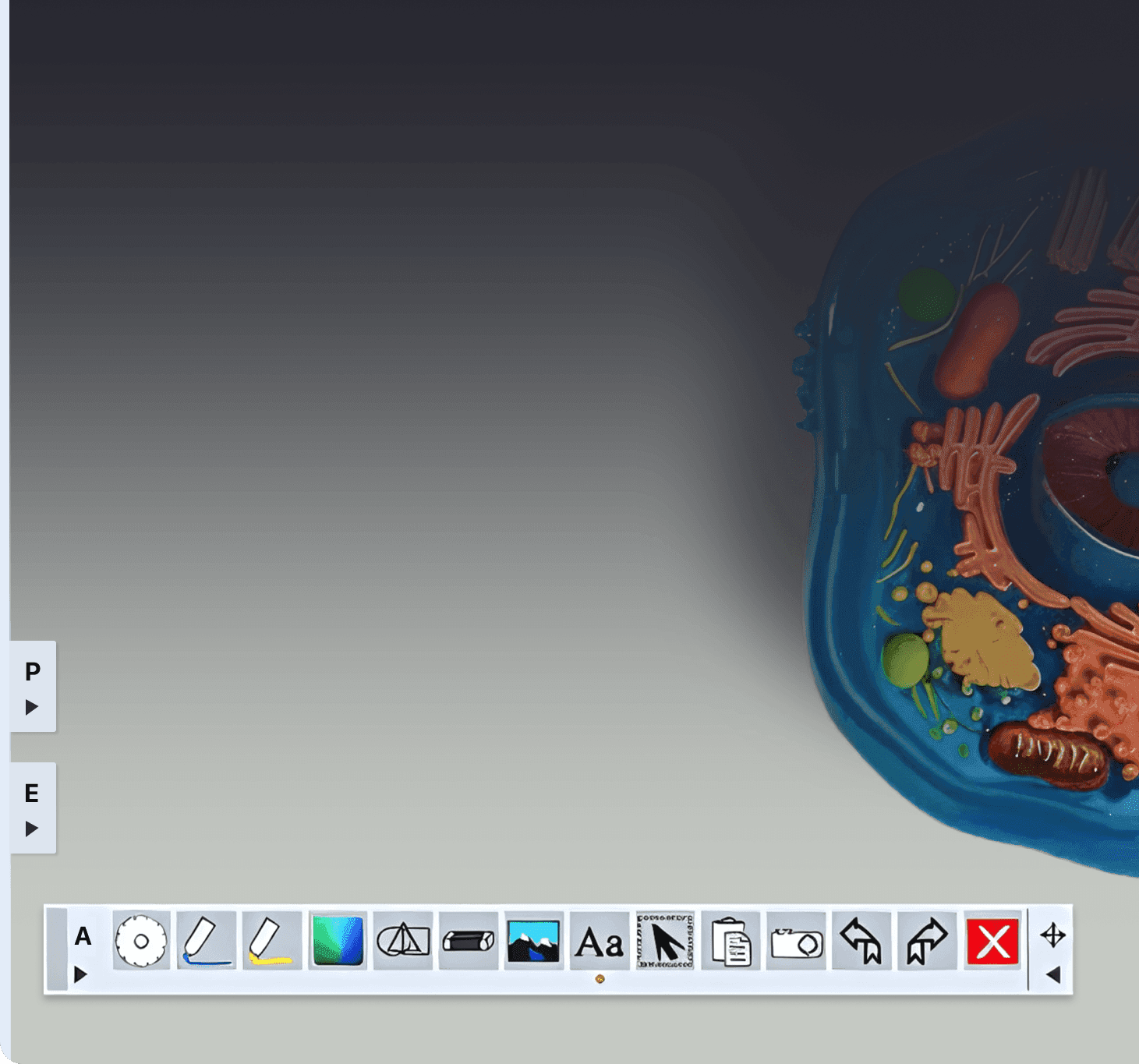
Current users rarely used multiple panels at the same time and almost never moved them, preferring to keep the interface minimal and maintain familiar toolbar positions.
Current users rarely used multiple panels at the same time and almost never moved them, preferring to keep the interface minimal and maintain familiar toolbar positions.
Current users rarely used multiple panels at the same time and almost never moved them, preferring to keep the interface minimal and maintain familiar toolbar positions.
Scene settings were rarely used by current users.

Screenshots and video recording were used regularly.
Scene settings were rarely used by current users.
Screenshots and video recording were used regularly.
Scene settings were rarely used by current users.
Screenshots and video recording were used regularly.
I also conducted a UX audit and documented key issues in a guide to ensure the new design decisions were consistent and well-grounded.
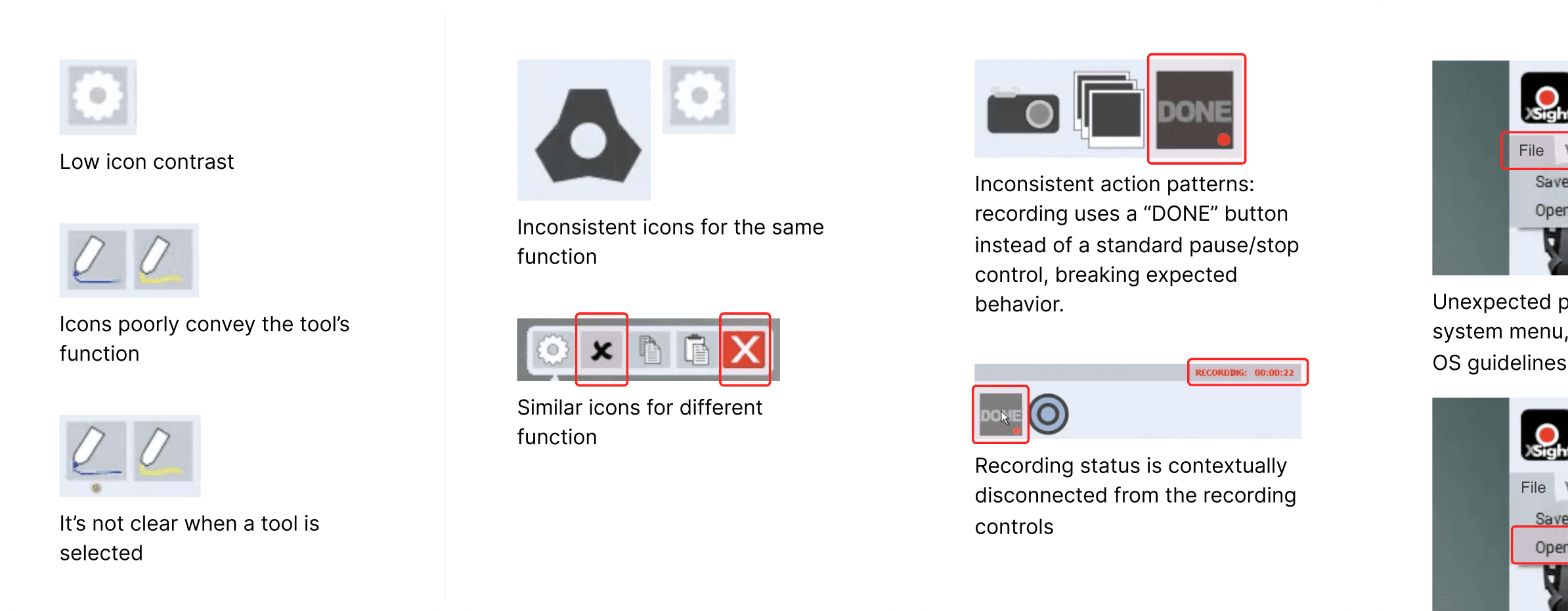
I also conducted a UX audit and documented key issues in a guide to ensure the new design decisions were consistent and well-grounded.
I also conducted a UX audit and documented key issues in a guide to ensure the new design decisions were consistent and well-grounded.
Key solutions
Key solutions
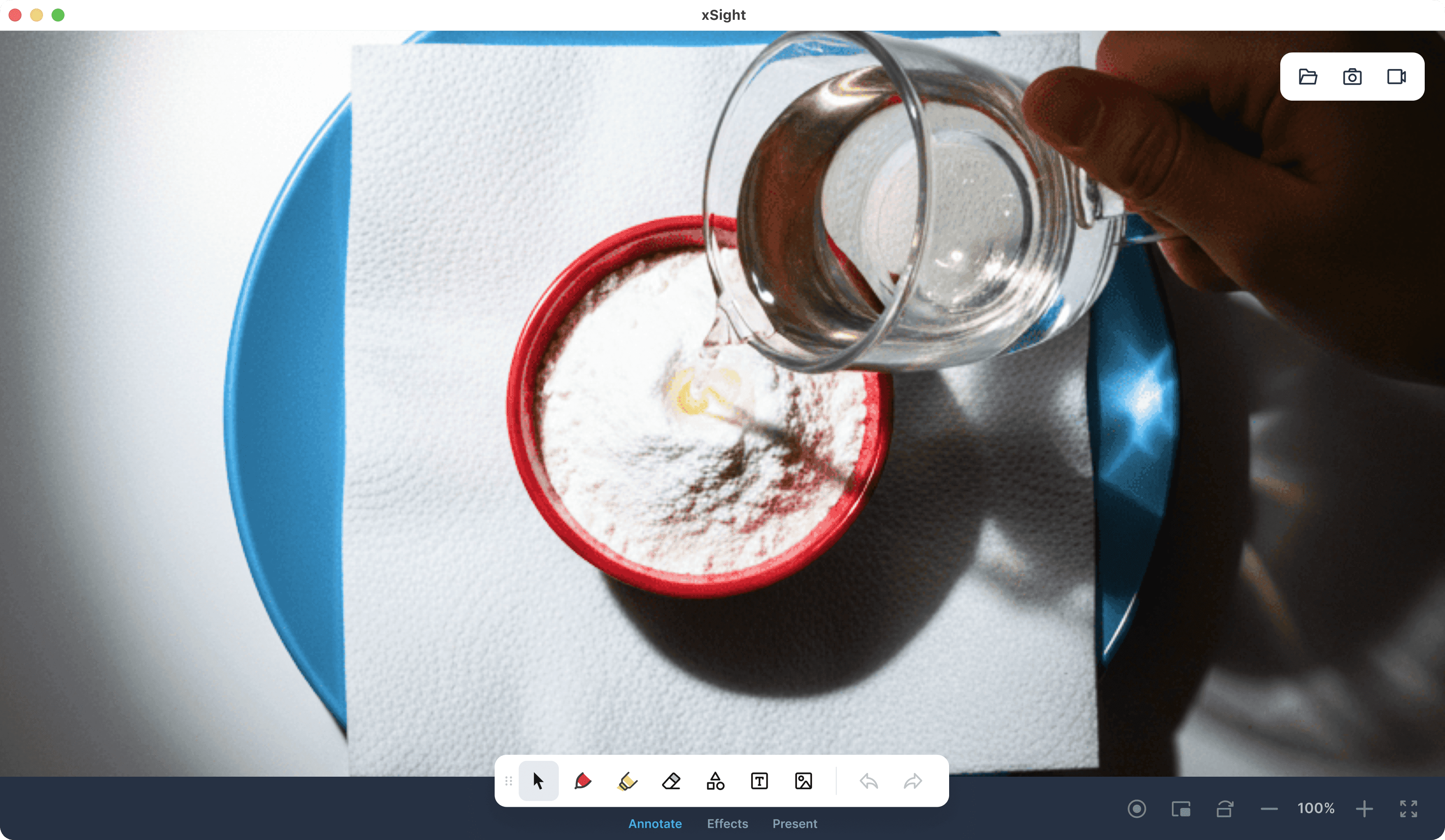
I structured the interface around the primary scenario — working with the camera image, which takes up most of the screen.
To support this, I hid the recent recordings manager, as it is used outside the main demonstration flow. This freed up ~15% of the screen for the camera view.
I structured the interface around the primary scenario — working with the camera image, which takes up most of the screen.
To support this, I hid the recent recordings manager, as it is used outside the main demonstration flow. This freed up ~15% of the screen for the camera view.
I structured the interface around the primary scenario — working with the camera image, which takes up most of the screen.
To support this, I hid the recent recordings manager, as it is used outside the main demonstration flow. This freed up ~15% of the screen for the camera view.
Before
Now
Ключевые решения
Ключевые решения
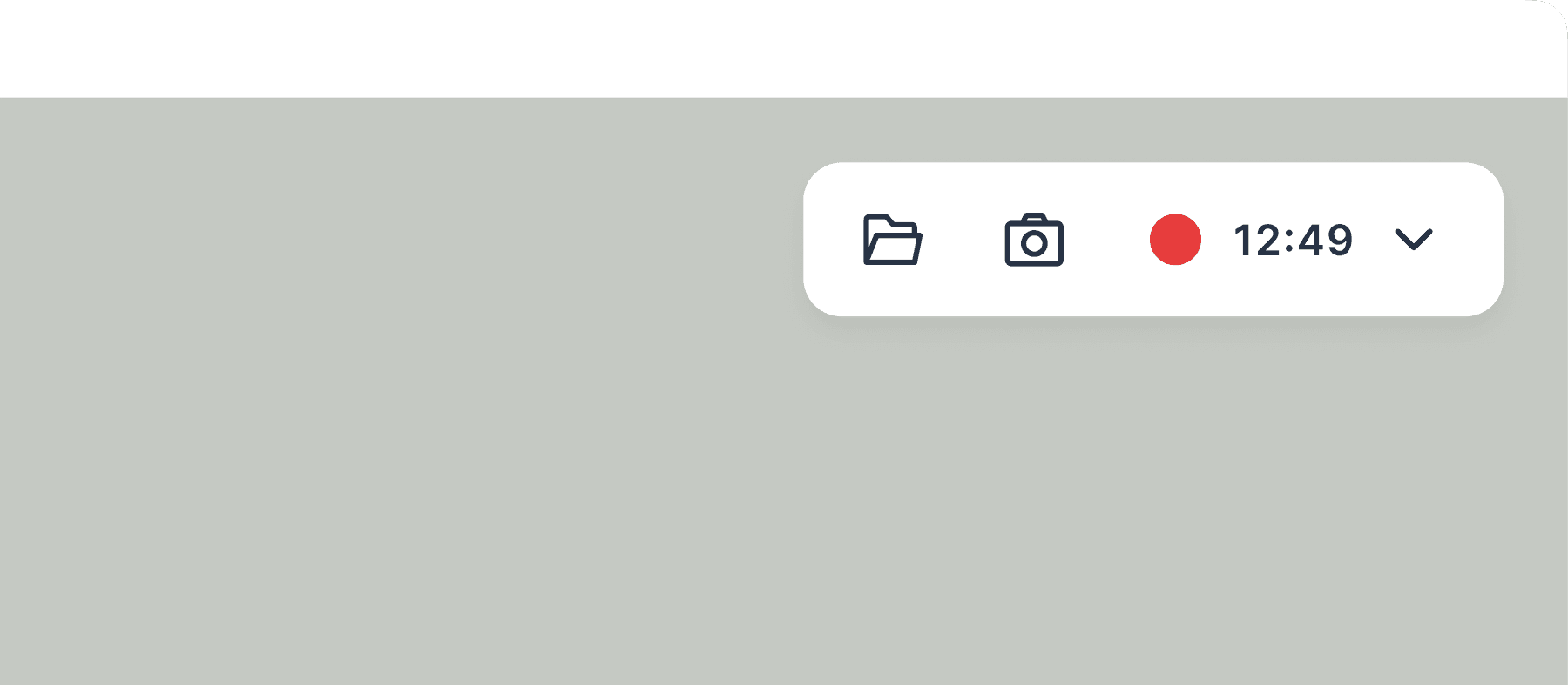
A dedicated screen capture control panel makes it easy to quickly find these functions and clearly monitor recording status.
A dedicated screen capture control panel makes it easy to quickly find these functions and clearly monitor recording status.
Scene settings were deprioritized due to low usage frequency.
Scene settings were deprioritized due to low usage frequency.
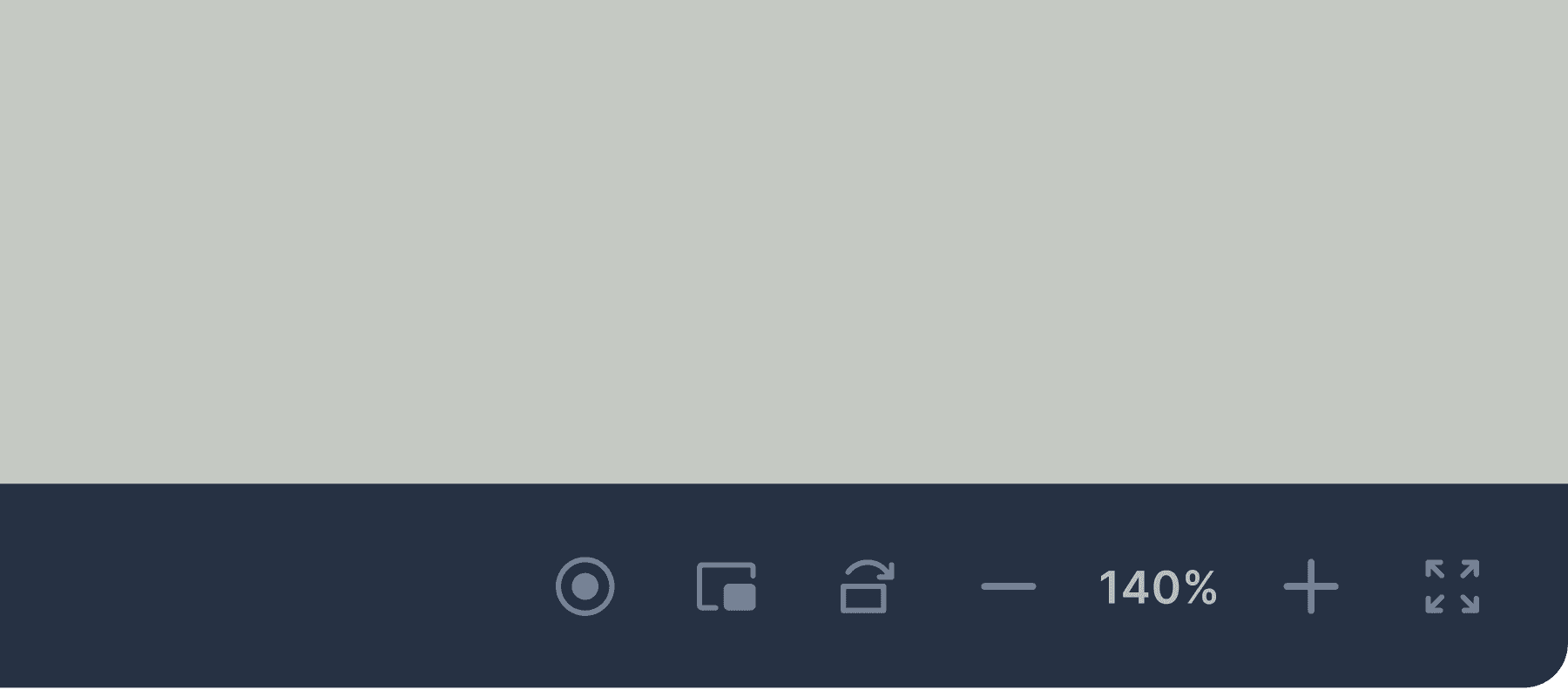
Toolbars are fixed in place, ensuring consistent tool positioning.
Toolbars are fixed in place, ensuring consistent tool positioning.
They are shown by default, so there is no need to toggle them on or off, and the product’s value is clear on first launch.
They are shown by default, so there is no need to toggle them on or off, and the product’s value is clear on first launch.
Access to different tool groups is handled through toggles, saving space and clarifying the purpose of the selected group.
Access to different tool groups is handled through toggles, saving space and clarifying the purpose of the selected group.
First launch
First launch
I added a start screen with clear entry points for key workflows. The user can now begin working even if the camera is not connected.
I added a start screen with clear entry points for key workflows. The user can now begin working even if the camera is not connected.
I added a start screen with clear entry points for key workflows. The user can now begin working even if the camera is not connected.

System design
System design
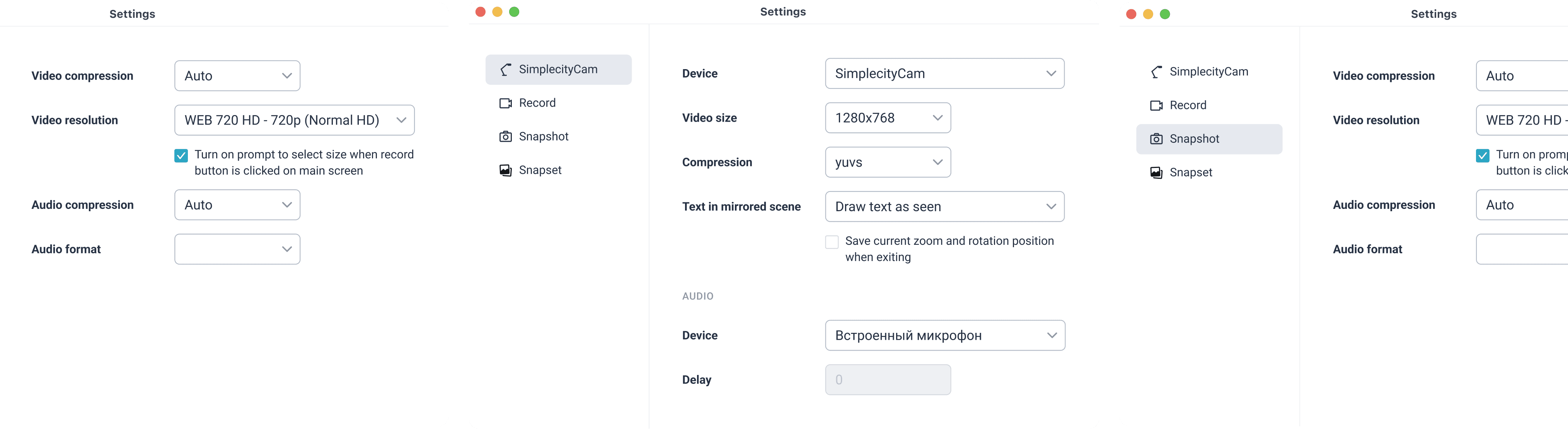
I also redesigned the system-level parts of the product — tool and app settings, capture manager, and custom icons — and built a complete UI kit.
I also redesigned the system-level parts of the product — tool and app settings, capture manager, and custom icons — and built a complete UI kit.
I also redesigned the system-level parts of the product — tool and app settings, capture manager, and custom icons — and built a complete UI kit.
Системный дизайн
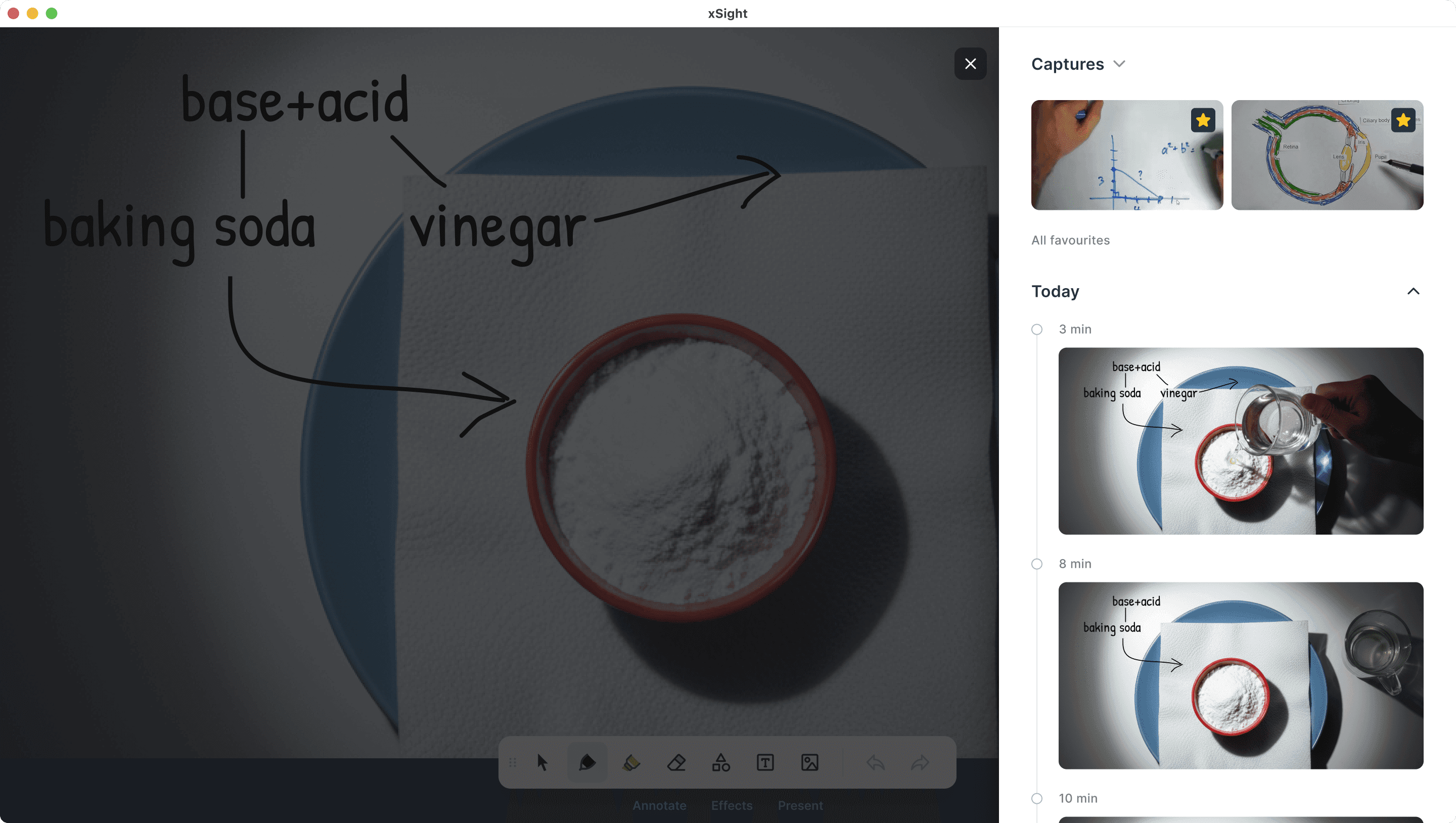
The capture manager was not only visually redesigned, but also improved from a UX perspective:
The capture manager was not only visually redesigned, but also improved from a UX perspective:
It doesn’t take up space until screenshots or videos need to be shown.
It doesn’t take up space until screenshots or videos need to be shown.
Emphasizes chronology, making it easier to find intermediate steps in a demonstration.
Emphasizes chronology, making it easier to find intermediate steps in a demonstration.
Previews of recent captures are enlarged, making differences between steps more noticeable and helping quickly select the right screenshot or video.
Previews of recent captures are enlarged, making differences between steps more noticeable and helping quickly select the right screenshot or video.
Added favorite captures for frequent use, eliminating the need to search for them in the OS file manager.
Added favorite captures for frequent use, eliminating the need to search for them in the OS file manager.
Added previews for videos and snapsets.
Added previews for videos and snapsets.
Other projects
Other projects
Системный дизайн
The capture manager was not only visually redesigned, but also improved from a UX perspective:
It doesn’t take up space until screenshots or videos need to be shown.
Emphasizes chronology, making it easier to find intermediate steps in a demonstration.
Previews of recent captures are enlarged, making differences between steps more noticeable and helping quickly select the right screenshot or video.
Added favorite captures for frequent use, eliminating the need to search for them in the OS file manager.
Added previews for videos and snapsets.